
A smooth JioHotstar login takes less than a minute once you know which method your device uses. On phones and the website you sign in with your mobile number and a one-time password (OTP), while on a smart TV you usually scan a QR code or confirm a code from your phone. This guide covers every method step by step, plus fixes for the errors that block most people.
We are an independent guide site and not part of JioHotstar or JioStar. Every step below was checked against official sources such as the JioHotstar terms of use, the official app store listings and Jio's help pages, and we avoid guessing menu labels that change between app versions.
Quick answer: To finish your JioHotstar login, open the official app or hotstar.com, tap My Space or Login, enter your 10-digit mobile number and type the OTP that arrives by SMS. On a smart TV, select Login / Sign Up and scan the QR code with a phone that is already signed in, or enter the code shown on the TV screen. Last checked: 4 November 2026.
Open Official JioHotstar Login Page ↗
Table of Contents
- JioHotstar Login at a Glance
- What You Need Before Your JioHotstar Login
- JioHotstar Login on Android and iPhone
- JioHotstar Web Login on hotstar.com
- How to Login JioHotstar in TV (Smart TV, Android TV, Firestick)
- JioHotstar Login With a Jio Number
- Which Plan Works Where After JioHotstar Login
- How to Login Another Account in JioHotstar
- How to Log Out of All Devices
- JioHotstar Login Problems and Fixes
- Keep Your JioHotstar Login Safe
- Final Verdict on JioHotstar Login
- FAQs About JioHotstar Login
JioHotstar Login at a Glance
JioHotstar uses your phone number as your account ID, so there is no username or password to remember. Here is how the sign-in system works in 2026.
| Detail | What you need to know |
|---|---|
| Login ID | Your mobile number (a +91 number for Indian accounts) |
| Verification | One-time password sent by SMS to the registered number |
| Password | Not needed for the standard phone login |
| Official app publisher | JIOSTAR INDIA PRIVATE LIMITED (Google Play and App Store) |
| Where you can sign in | Android, iPhone, iPad, Apple TV, web browsers and smart TVs |
| TV login options | QR code, on-screen code, or phone number plus OTP |
| Jio bundled plans | Sign in with the Jio number on which the plan is active |
| Devices at the same time | Mobile plan 1, Super 2, Premium 4 |
JioHotstar launched in February 2025 after JioCinema and Disney+ Hotstar merged, and it is run by JioStar. If you used either old app, you now sign in through the single JioHotstar app with the same phone-and-OTP method.
What You Need Before Your JioHotstar Login
Most failed logins happen because one small thing is missing. Run through this checklist first:
- The official JioHotstar app from Google Play or the App Store, or an updated browser for hotstar.com.
- A working mobile number that can receive SMS, with the phone in your hand.
- Stable Wi-Fi or mobile data on the device you are signing in on.
- If you pay for a plan, the exact number you used when you bought it.
- For bundled plans, your Jio number linked to the recharge, JioFiber or JioAirFiber connection.
- For a TV, a phone that is already signed in to JioHotstar makes the QR method fastest.
If you use an Android phone without Play Store access, read our steps to download and install the JioHotstar APK on Android safely before you sign in.
JioHotstar Login on Android and iPhone
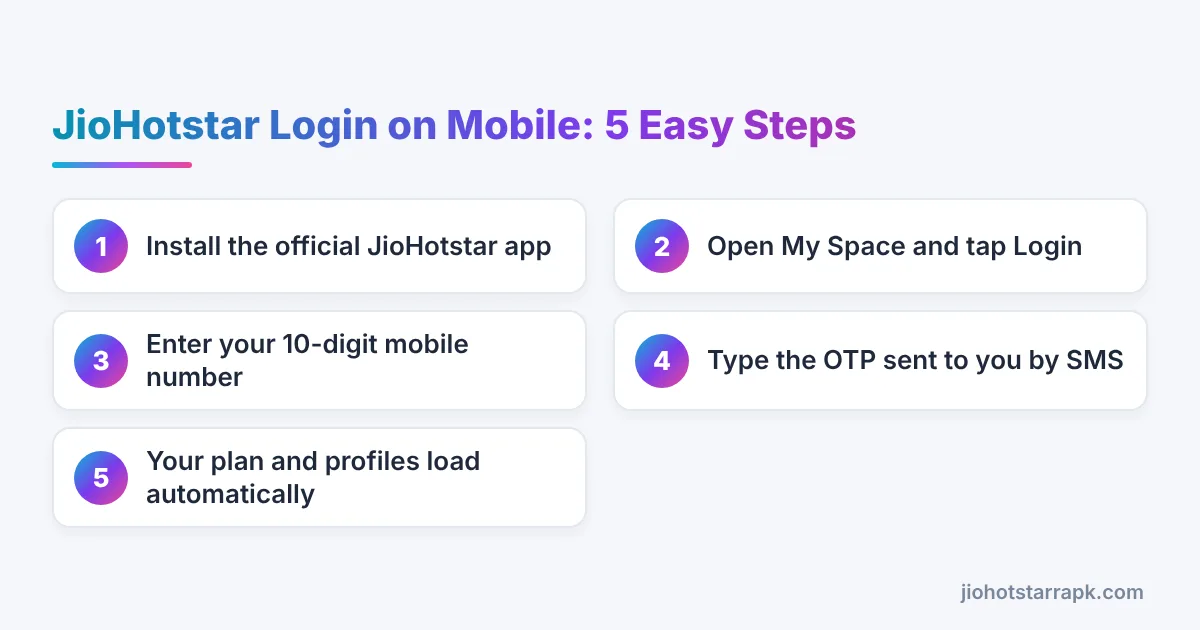
JioHotstar login in mobile is the most common method and the base for every other one. The steps are the same on Android phones, iPhones and iPads.
Step 1: Install or update the official app
Get JioHotstar from Google Play or the Apple App Store, where the publisher is JIOSTAR INDIA PRIVATE LIMITED. The iPhone and iPad versions need iOS or iPadOS 15.0 or later. An old build is a common cause of JioHotstar login loops, so update the app to the latest version first.
Step 2: Open My Space and tap Login
Launch the app and tap My Space at the bottom of the screen. If you are not signed in yet, a Login option appears there.
Step 3: Enter your mobile number
Type your 10-digit mobile number and continue. If the number has never been used on JioHotstar, the same flow creates a new free account, so sign-up and sign-in are one process.
Step 4: Type the OTP
JioHotstar sends a one-time password by SMS to that number, which its terms of use describe as part of a two-step verification. Enter the code promptly, and your profiles and subscription load automatically.
That is the full JioHotstar login with phone number. If the OTP does not arrive, jump to the troubleshooting section below.
JioHotstar Web Login on hotstar.com
JioHotstar web login is handy for laptops and desktops, and it follows almost the same steps as the app.
- Open www.hotstar.com/in in an up-to-date browser such as Chrome or Edge.
- Click Login (or My Space) on the page.
- Enter your mobile number and request the OTP.
- Type the OTP from your phone to finish signing in.
Keep one rule in mind: the Mobile plan works on a single mobile device only and does not play on the web, laptops or TVs. Your JioHotstar login on the web will succeed, but paid shows need a Super or Premium plan there. For desktop app options, see our guide to JioHotstar on PC.
How to Login JioHotstar in TV (Smart TV, Android TV, Firestick)
TV sign-in is where most people get stuck, because typing with a remote is slow. JioHotstar gives you three ways to do it, and the TV shows whichever methods your device and app version support.
First install the app from your TV's app store, such as on Android TV, Samsung or LG models, or on Apple TV. Fire TV Stick owners can follow our steps to install JioHotstar on PC, Smart TV and Firestick, then use the same login screen.
Method 1: Scan the QR code (fastest)
- Open JioHotstar on the TV and select Login / Sign Up.
- Choose the QR code option so a code appears on screen.
- Scan it with your phone camera and tap the link that pops up.
- Confirm the request in the JioHotstar app on your phone, where you are already signed in.
- The TV refreshes and completes the JioHotstar login.
Method 2: Use the JioHotstar TV login code
Some TVs and streaming devices show a short activation code during sign-in. Use it like this:
- Keep the code screen open on the TV.
- On your phone or laptop, open the web address shown on the TV and sign in with the same mobile number.
- Type the code exactly as displayed.
- Wait for the TV to confirm, and your account loads.
Always type the address that your TV displays rather than one from a random video or social post. If the code stops working, go back on the TV and generate a fresh one.
Method 3: Enter your phone number and OTP on the TV
Pick the mobile number option, type your number with the remote and enter the OTP from your SMS. It is slower, but it works even if the JioHotstar app is not installed on your phone.
JioHotstar Login With a Jio Number
Several Jio mobile recharges and JioFiber or JioAirFiber plans include JioHotstar at no extra cost. The rule is simple: always sign in with the Jio number on which that plan is active.
Jio mobile recharge
Open the JioHotstar app and complete the usual JioHotstar login with your registered Jio number and OTP. Digit reported that the free Premium upgrade for select Jio users activates automatically, with no coupon needed, and shows up as a premium badge on the account.
JioFiber and JioAirFiber
Jio's own help page says you log in to partner apps such as JioHotstar with your Jio-registered mobile number and an OTP. It also says to use the same Jio number that is registered with your JioFiber or JioAirFiber account, which is why logging in with a family member's number shows no plan.
Jio adds that most bundled apps work right after activation, while some need a one-time registration. For full rules, read the Jio FAQ on OTT app login credentials.
Which Plan Works Where After JioHotstar Login
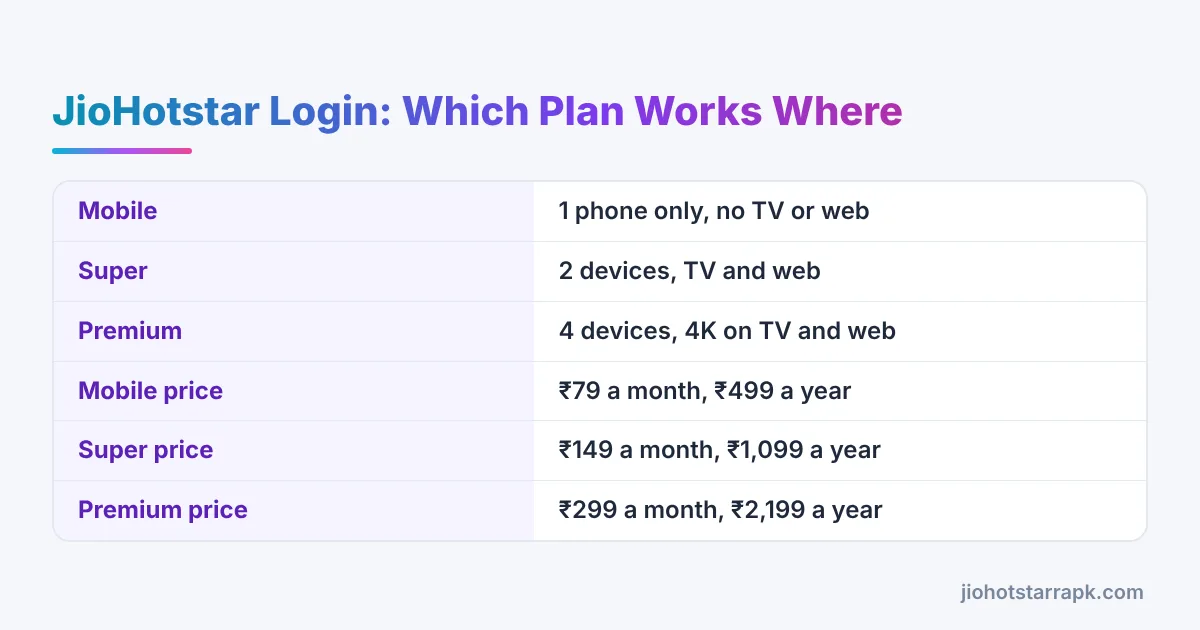
A successful JioHotstar login does not always mean every screen can play your plan. This table shows what each tier allows for new subscribers in 2026.
| Plan | Price (1 month / 3 months / 1 year) | Devices at once | TV and web | Best quality |
|---|---|---|---|---|
| Mobile | ₹79 / ₹149 / ₹499 | 1 mobile device | No | HD 720p |
| Super | ₹149 / ₹349 / ₹1,099 | 2 | Yes | Full HD |
| Premium | ₹299 / ₹699 / ₹2,199 | 4 | Yes | 4K, Dolby Vision and Atmos |
Mobile and Super show ads, while Premium is ad-free except during live sports and live shows. Hollywood titles are not part of the Mobile plan unless you add the ₹49, ₹129 or ₹399 add-on. See all current JioHotstar plans and subscription prices before you upgrade.
How to Login Another Account in JioHotstar
One JioHotstar account is tied to one mobile number. Switching accounts means signing out and starting a fresh JioHotstar login.
Switch to a different mobile number
- Open My Space and go to Help & Settings.
- Choose the log out option and confirm.
- Tap Login again and enter the other mobile number.
- Type the OTP sent to that number.
Use profiles instead of a second login
If family members share one plan, profiles are better than swapping numbers all day. Everyone stays under the same JioHotstar login, and you can set a Parental Lock from My Space under Help & Settings to control what children can open.
How to Log Out of All Devices
Signed in on a friend's TV, a hotel screen or an old phone? You can remove those sessions without touching the device.
From the app
Open My Space, then Help & Settings, and find the account section that lists where you are signed in. From there you can sign out one device or choose to log out of all devices, though the exact label can vary slightly by app version.
From hotstar.com
Sign in on the website and open your account page, which the terms of use call the "My Account" section. Your subscription status sits there too, so it is a good place to check everything at once.
Each plan has a device limit, and a new device is blocked with an error once that limit is full. After you log out everywhere, repeat the JioHotstar login only on the screens you actually use.
JioHotstar Login Problems and Fixes
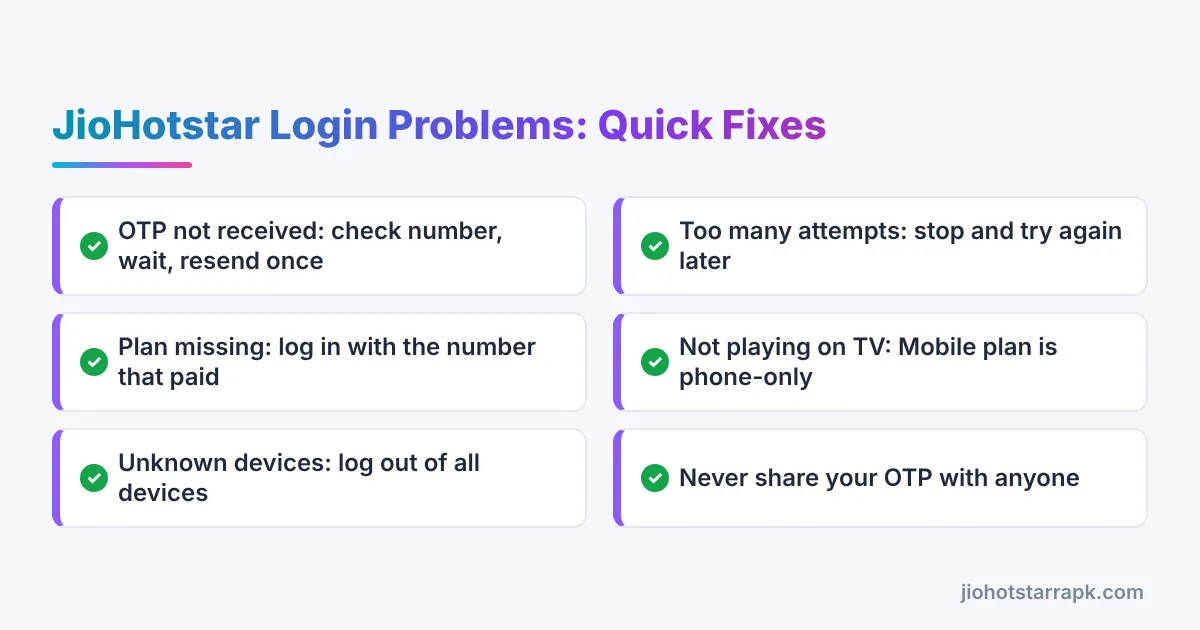
Most JioHotstar login errors fall into five groups. Use this table for a quick fix, then read the details below.
| Problem | Likely cause | Quick fix |
|---|---|---|
| OTP not received | Weak signal, wrong number, SMS filter | Check the number, wait, then resend once |
| Too many attempts | Repeated OTP requests or wrong codes | Stop retrying and try again later |
| Not available in your region | You are outside India | Indian content is meant for viewers in India |
| Subscription not showing | Logged in with a different number | Sign in with the number that bought the plan |
| Plan not playing on TV or laptop | Mobile plan is phone-only | Upgrade to Super or Premium |
JioHotstar OTP not received
Check that the number is correct and that your phone has signal, since OTPs come by SMS. Look in your messages app's spam or blocked folder, and make sure the SMS inbox is not full.
Wait at least a minute before you tap resend, because rapid requests can backfire. On a TV, also confirm the date and time are set automatically, as a wrong clock can break verification.
Too many attempts or OTP blocked
Requesting OTPs again and again, or typing wrong codes, can make the app pause new attempts for a while. This security step protects your JioHotstar login, so stop retrying, close the app and come back later instead of tapping resend.
Wrong country or service not available
JioHotstar's terms say availability may depend on your geographical location. TechRadar notes the full Indian catalogue, including live sports, works only from India, while versions in countries such as the UK and Canada differ, so travellers should expect a limited library abroad.
Subscription not showing after login
This almost always means your JioHotstar login used a different number from the one that paid. Log out and sign in with the purchase number, or with your Jio number for bundled plans, then check the plan status in your account section.
If you bought through the App Store or Google Play, use the same store account on that device. For more fixes, see our list of common JioHotstar problems and fixes.
Keep Your JioHotstar Login Safe
JioHotstar's terms of use make you responsible for the security of your user ID, so treat every JioHotstar login OTP like a bank PIN. These habits keep your account in your hands:
- Never share an OTP with anyone, including callers who claim to be JioHotstar support.
- Install only the official app from Google Play or the App Store, and avoid mod APKs that promise free premium.
- Log out of shared, rented or hotel TVs as soon as you finish watching.
- Check your logged-in devices every few months and remove anything you do not recognise.
- Ignore "customer care" numbers posted in comments or videos, and use only the official help routes in our JioHotstar customer care guide.
Not sure whether a downloaded file is the real app? Read our check on whether the JioHotstar APK is safe before installing it.
Final Verdict on JioHotstar Login
JioHotstar login is quick once you match the method to the device: phone number and OTP on mobile and web, and the QR code on TVs. Most problems come from using the wrong number, a phone-only Mobile plan on a big screen, or too many OTP requests.
Keep your purchase number handy, scan the QR code instead of typing on a remote, and clear old devices regularly. If you are on an iPhone, our JioHotstar for iPhone guide covers app setup in more detail.
FAQs About JioHotstar Login
How do I log in to JioHotstar with my phone number?
Open the official JioHotstar app or hotstar.com, tap My Space or Login, enter your 10-digit mobile number and type the OTP that arrives by SMS. If the number is new to JioHotstar, the same steps create a free account automatically.
Can I log in to JioHotstar without an OTP?
The standard JioHotstar login needs an OTP sent to your registered mobile number, and there is no separate password for it. On a TV you can skip typing by scanning the QR code with a phone that is already signed in.
How do I use the JioHotstar TV login code?
Keep the code screen open on your TV, open the web address shown there on your phone or laptop, sign in with the same mobile number and enter the code. If the code stops working, generate a new one from the TV login screen.
Why am I not receiving the JioHotstar OTP?
The usual reasons are a typo in the number, weak network signal, a full SMS inbox or a spam filter hiding the message. Wait a minute before resending, and if the app says you have tried too many times, stop and try again later.
How many devices can use one JioHotstar account?
The Mobile plan allows 1 mobile device, Super allows 2 devices and Premium allows 4 devices at the same time. The Mobile plan does not play on TVs, laptops or the web, even after a successful sign-in.
Can I use my Jio number to get JioHotstar for free?
Yes, if your Jio recharge, JioFiber or JioAirFiber plan includes JioHotstar. Do your JioHotstar login with the same Jio number on which that plan is active, because another number will not show the bundled subscription.
How do I log out of JioHotstar on other devices?
In the app, go to My Space, then Help & Settings, and open the section that lists your signed-in devices to remove one or all of them. On the website, the same controls sit in your account section on hotstar.com.
Does the JioHotstar web login work with the Mobile plan?
You can sign in on hotstar.com with any account, but the Mobile plan only plays on one mobile device. To watch paid content in a browser, you need a Super or Premium plan.
What happens if I delete my JioHotstar account?
JioHotstar's privacy policy says you can ask it to erase your information and close your account. It also states that erasure ends your subscription without any refund, so cancel or use up your plan first.
Get the official JioHotstar app
Download the latest version safely from the official source.